
Set up your account and wallet
For: New self-serve advertisers and the person who manages budgets.
Before you can launch, you need an account and a funded wallet, the balance your campaigns spend from.
1. Create your account
Go to adwave.revosurge.com and click Sign up. Sign-up has four steps:
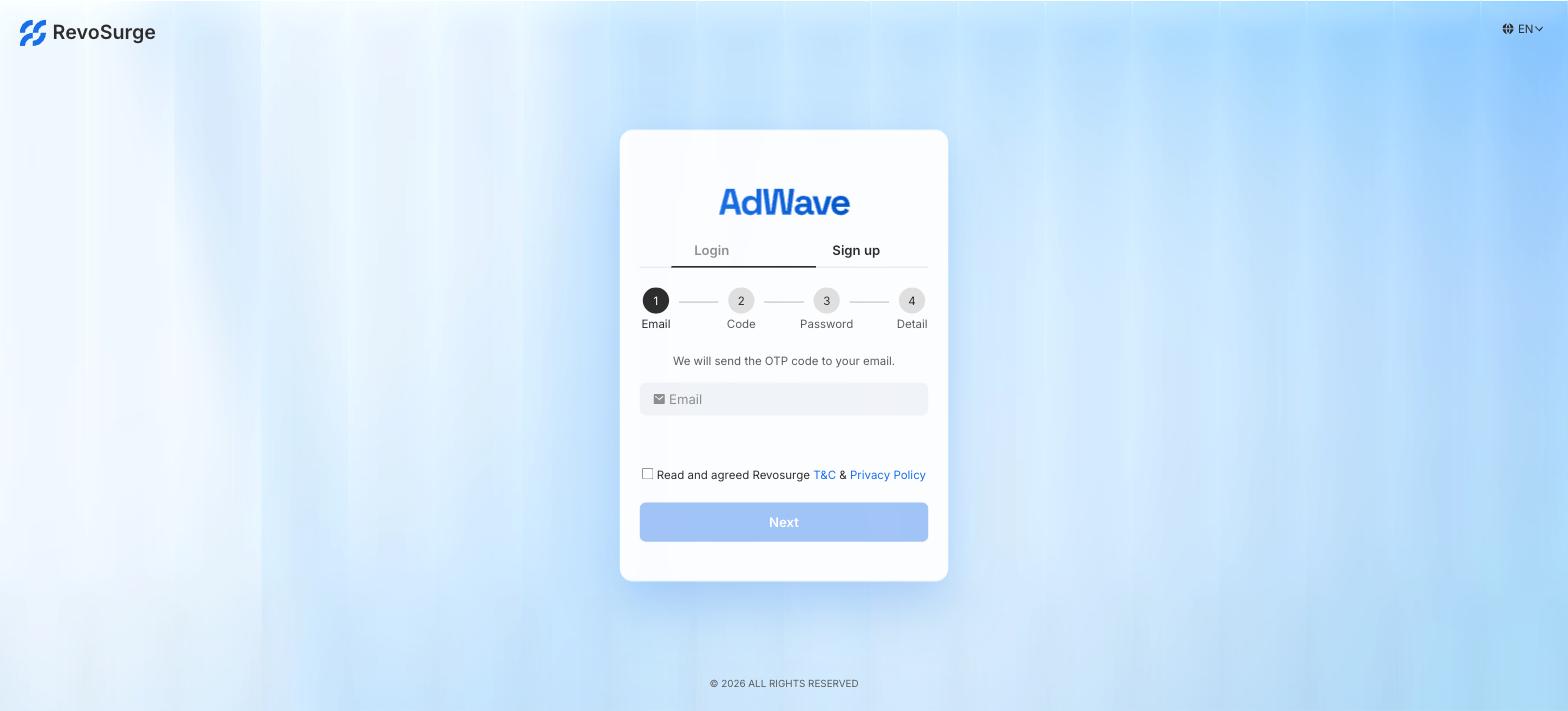
- Email: enter your work email, tick Read and agreed RevoSurge T&C & Privacy Policy, and click Next.
- Code: enter the one-time code (OTP) sent to your email.
- Password: create your password.
- Detail: fill in your details.
When you finish, you land on the AdWave home page, with the onboarding checklist at the top.
One email, one account
Each account has one login email. You cannot add team members yet, even though the account menu shows Manage Members, so decide who owns the login before you sign up. Use a shared work address (for example marketing@yourbrand.com) rather than a personal one if several people will run campaigns.
Done when: you can log in and see the onboarding checklist.
2. Fund your wallet
Deposits are handled by your Account Manager. There is no self-serve payment in the platform yet.
- Work out your test budget: daily budget × test days. The launch worksheet shows how to choose a daily budget.
- Contact your Account Manager with your account email and the amount you want to deposit.
- Follow the payment instructions they send you.
- Once the payment settles, check your balance. It shows at the top right of the Campaign page:

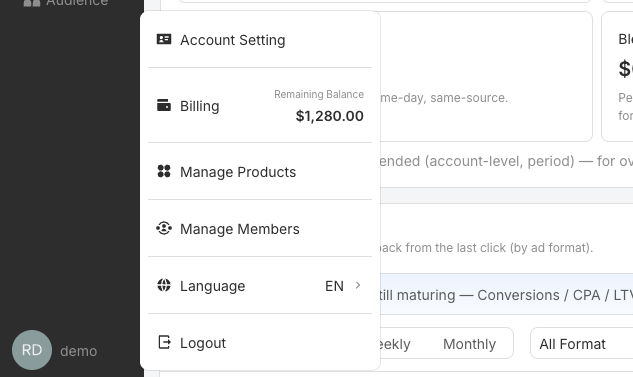
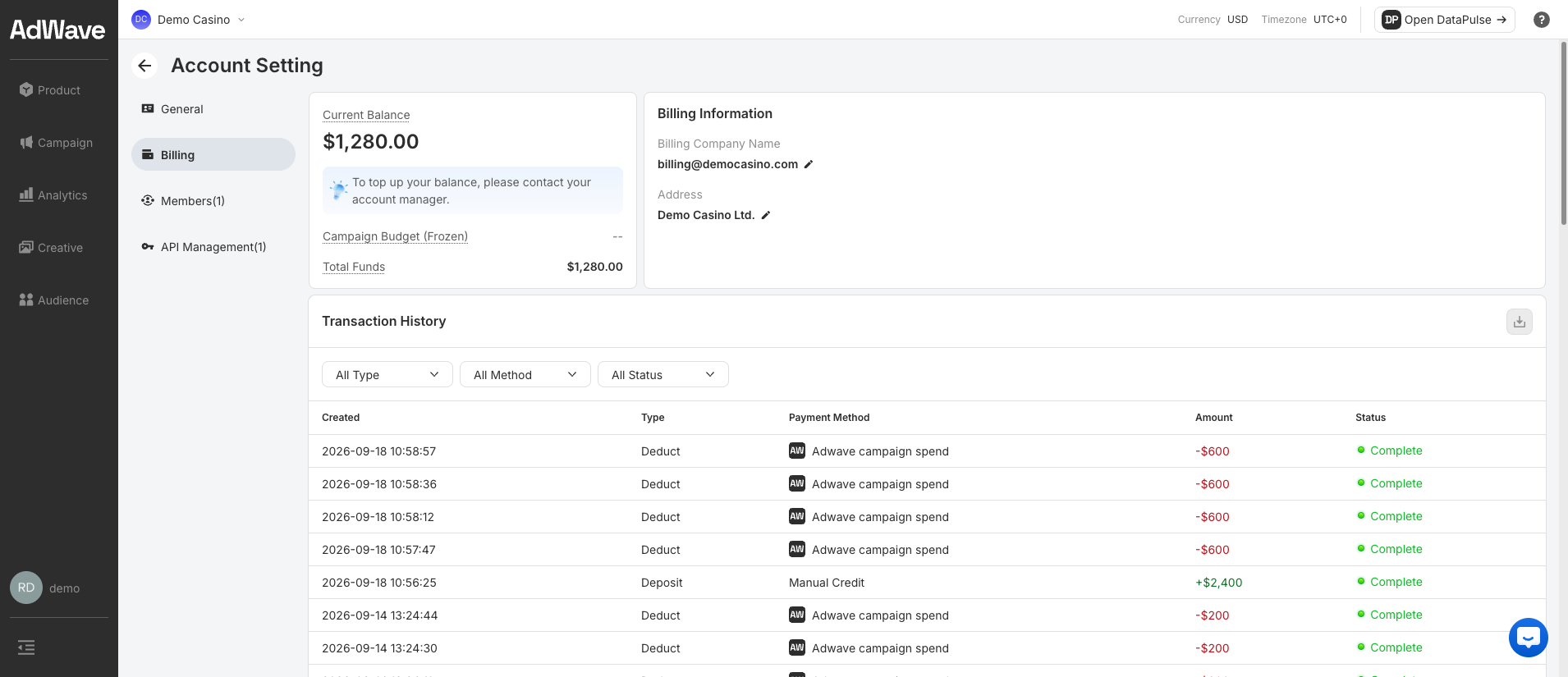
For the full picture, click your account icon at the bottom left, then Billing. The menu also shows your Remaining Balance.
| Field | Meaning |
|---|---|
| Current Balance | The funds available to spend |
| Campaign Budget (Frozen) | Funds held for your scheduled and live campaigns. They are released when a campaign ends or its budget is released |
| Total Funds | Current Balance + Campaign Budget (Frozen) |
| Transaction History | Every deposit (Deposit, e.g. Manual Credit from your Account Manager) and every charge (Deduct, AdWave campaign spend). Use the download icon to export it |
AdWave shows an alert when your balance drops below 5,000.
Deposits are non-refundable
Deposit what you plan to spend in your first test period. Your wallet is shared between AdWave and DataPulse.
Done when: your balance shows the deposit.
3. Keep your balance topped up
Campaigns stop delivering when the balance runs out. If a campaign stops mid-test, it has to learn again when it restarts.
- ✅ Check your balance when you check your campaigns
- ✅ Ask your Account Manager to top up when you have about 3 days of spend left
Next: Connect tracking