
API Key
For: Developers, Admins
API keys authenticate requests to RevoSurge APIs.
In this article
- What an API key is
- How to keep it safe
- Key rotation basics
What an API key is
An API key identifies your account and authorizes API actions (e.g., sending S2S events).
How to get your API key
You generate your own key in DataPulse — no request to a RevoSurge representative is needed:
- Open DataPulse (datapulse.revosurge.com, or Open DataPulse from AdWave) and select your Product.
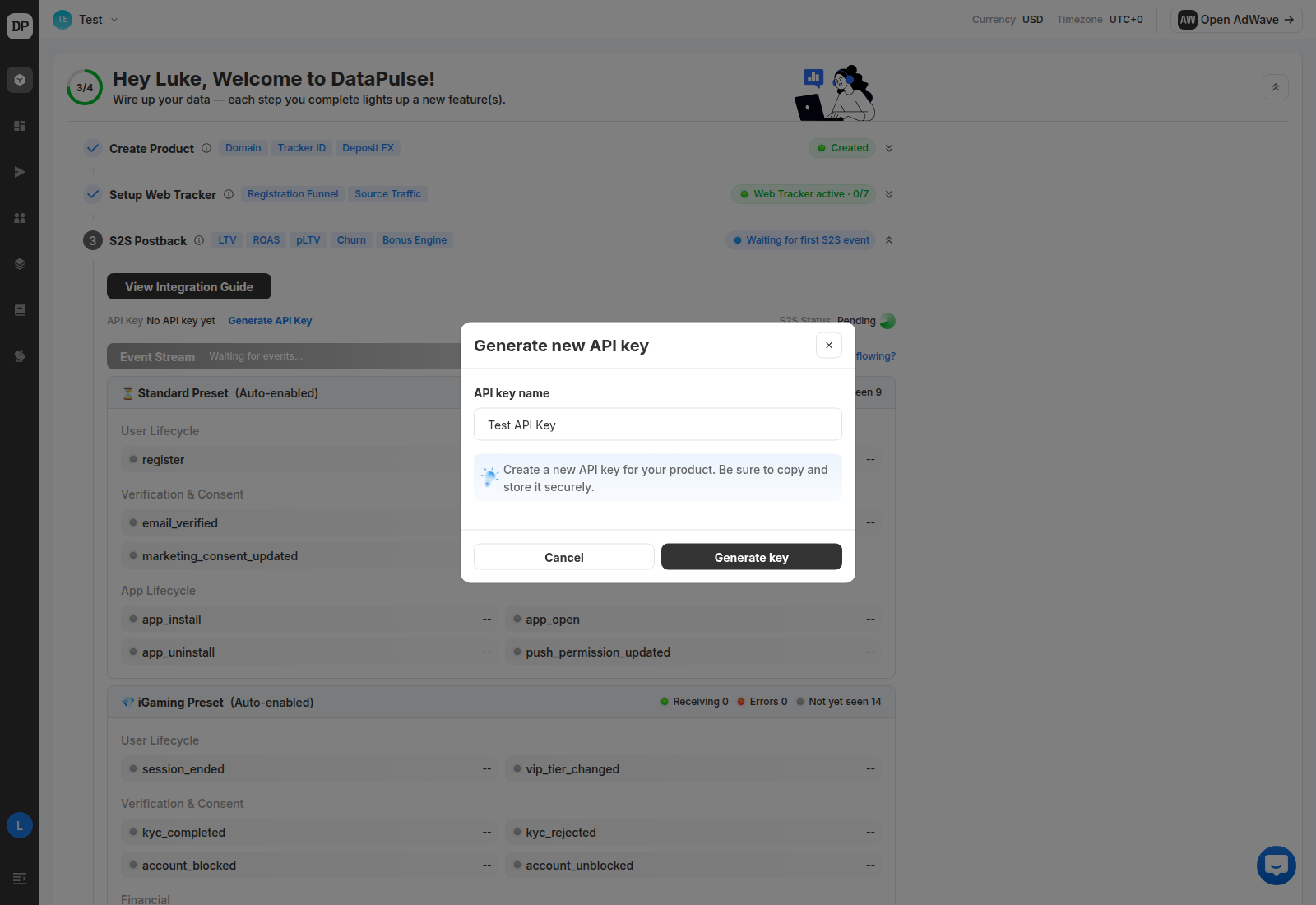
- In the Setup Wizard, go to Step 3 · S2S Postback.
- Click Generate API Key and copy the key somewhere safe — you'll use it to authenticate S2S event requests.
The S2S Status shows Pending until your first server event is received; this is normal and clears automatically once events start flowing.
Keep it safe
- Do not commit keys into source control
- Store keys in environment variables or a secrets manager
- Restrict access to only required engineers/services
Rotation (recommended)
- Rotate keys periodically (e.g., quarterly)
- Rotate immediately if exposure is suspected